
LG TV, Samsung TV, Android, iOS ve Windows için profesyonel IPTV oynatıcıA professional IPTV player for LG TV, Samsung TV, Android, iOS and Windows
CMSIPTV Player, Xtream Codes destekli hızlı ve kullanımı kolay bir medya oynatıcıdır. LG webOS TV, Samsung Tizen TV, Android TV, TV Box, telefon, tablet, iPhone, iPad ve Windows bilgisayarda aynı düzenli arayüzle canlı TV, film ve dizi izleyin.CMSIPTV Player is a fast, easy-to-use media player with Xtream Codes support. Watch live TV, movies and series with the same clean interface on LG webOS TVs, Samsung Tizen TVs, Android TV, TV boxes, phones, tablets, iPhone, iPad and Windows PCs.
Uygulama ücretsizdir. İçerik içermez; kendi hizmet sağlayıcınızın giriş bilgileri gereklidir.The app is free. It contains no content; login details from your own service provider are required.
Uygulamayı indirinGet the app
Aynı uygulama, aynı arayüz, aynı üyelik: listelerinizi web sitemizden LG TV'nize, Samsung TV'nize, tüm Android cihazlarınıza, iPhone ve iPad'inize ve Windows bilgisayarınıza yükleyin.Same app, same interface, same membership: upload your playlists from our website to your LG TV, Samsung TV, all your Android devices, your iPhone and iPad and your Windows PC.
Android
Android TV, Google TV, TV Box, telefon ve tabletlerde çalışır. Kumanda, oyun kumandası ve dokunmatik ekran desteklenir.Runs on Android TV, Google TV, TV boxes, phones and tablets. Remote controls, gamepads and touch screens are supported.
TV Box'ta kısa adres:Short address for TV boxes: cmsiptvplayer.com/apk
Windows
Windows 10 ve 11 yüklü dizüstü ve masaüstü bilgisayarlar için. Fare, klavye ve dokunmatik ekranla kullanılır; pencerede ya da tam ekranda izleyin.For laptops and desktop PCs with Windows 10 and 11. Use it with mouse, keyboard or touch screen; watch in a window or in full screen.
Kısa indirme adresi:Short download address: cmsiptvplayer.com/windows
LG webOS TV
webOS işletim sistemli LG Smart TV'ler için (2018 ve sonrası). Magic Remote ve standart kumanda desteklenir.For LG Smart TVs with webOS (2018 and later). Magic Remote and standard remotes are supported.
Yayınlandığında LG TV'nizde LG Content Store bölümünü açıp "CMSIPTV Player" aratmanız yeterli olacak.Once published, simply open LG Content Store on your LG TV and search for "CMSIPTV Player".
Samsung Tizen TV
Tizen işletim sistemli Samsung Smart TV'ler için (2017 ve sonrası). Samsung Smart Remote ve standart kumanda desteklenir.For Samsung Smart TVs with Tizen (2017 and later). Samsung Smart Remote and standard remotes are supported.
Yayınlandığında Samsung TV'nizde Apps bölümünü açıp "CMSIPTV Player" aratmanız yeterli olacak.Once published, simply open Apps on your Samsung TV and search for "CMSIPTV Player".
iPhone & iPad
iOS 14 ve üzeri iPhone ve iPad'ler için. Dokunmatik denetimler, iki parmakla görüntü oranı ve çentikli ekran desteği; telefon ve tabletteki Android sürümüyle aynı kullanım.For iPhone and iPad with iOS 14 or later. Touch controls, pinch for picture ratio and notch-aware layout; the same experience as the Android version on phones and tablets.
Yayınlandığında iPhone veya iPad'inizde App Store'da "CMSIPTV Player" aratmanız yeterli olacak.Once published, simply search for "CMSIPTV Player" in the App Store on your iPhone or iPad.
Android'e kurulumInstalling on Android
Android TV · Google TV · TV BoxAndroid TV · Google TV · TV Box
- Google Play'den ücretsiz Downloader uygulamasını kurun.
- Ayarlar > Cihaz Tercihleri > Güvenlik ve Kısıtlamalar > Bilinmeyen kaynaklar bölümünde Downloader'a izin verin.
- Downloader'da adres alanına cmsiptvplayer.com/apk yazın, indirme bitince Yükle'yi seçin.
- Install the free Downloader app from Google Play.
- Allow Downloader under Settings > Device Preferences > Security & Restrictions > Unknown sources.
- Type cmsiptvplayer.com/apk into Downloader's address field and select Install when the download finishes.
Telefon ve TabletPhone and Tablet
- Bu sayfadaki APK İndir düğmesine dokunun.
- İndirilen CMSIPTV-Player-1.3.7.apk dosyasını açın.
- İstenirse Bu kaynaktan yüklemeye izin ver'i açın ve Yükle'ye dokunun.
- Tap the Download APK button on this page.
- Open the downloaded CMSIPTV-Player-1.3.7.apk file.
- If asked, enable Allow from this source and tap Install.
Güncelleme ve güvenlikUpdates and security
- Yeni sürümü aynı şekilde indirip mevcut uygulamanın üzerine kurun; listeleriniz ve ayarlarınız korunur.
- Google Play Protect uyarı verirse Ayrıntılar > Yine de yükle'yi seçin (mağaza dışı uygulamalar için olağan uyarıdır).
- Dosyanın doğruluğunu yukarıdaki SHA-256 değeriyle kontrol edebilirsiniz.
- Download the new version the same way and install it over the existing app; your playlists and settings are kept.
- If Google Play Protect shows a warning, choose More details > Install anyway (a normal warning for apps outside the store).
- You can verify the file with the SHA-256 checksum above.
Windows'a kurulumInstalling on Windows
KurulumInstallation
- Windows için İndir düğmesiyle CMSIPTV-Player-Setup-1.3.5.exe dosyasını indirin.
- Dosyayı çalıştırın; kurulum yönetici izni istemez, uygulama kullanıcı klasörünüze kurulur.
- Başlat menüsündeki veya masaüstündeki CMSIPTV Player kısayoluyla açın.
- Download CMSIPTV-Player-Setup-1.3.5.exe with the Download for Windows button.
- Run the file; setup does not need administrator rights and installs the app into your user folder.
- Open it with the CMSIPTV Player shortcut in the Start menu or on the desktop.
SmartScreen uyarısıSmartScreen warning
- Uygulama yeni olduğu için Windows "Windows bilgisayarınızı korudu" uyarısı gösterebilir.
- Ek bilgi'ye tıklayıp Yine de çalıştır'ı seçin.
- Dosyanın doğruluğunu yukarıdaki SHA-256 değeriyle kontrol edebilirsiniz (PowerShell:
Get-FileHash).
- Because the app is new, Windows may show "Windows protected your PC".
- Click More info and choose Run anyway.
- You can verify the file with the SHA-256 checksum above (PowerShell:
Get-FileHash).
Kullanım ve güncellemeUsing and updating
- Fare, klavye ve dokunmatik ekranla kullanılır: F11 tam ekran, Esc geri, F1-F4 renkli tuşlar, tekerlek ses.
- Yeni sürüm çıktığında uygulama açılışta kendini otomatik günceller; listeleriniz ve ayarlarınız korunur.
- Kurulum istemiyorsanız taşınabilir (zip) sürümü bir klasöre açıp CMSIPTV Player.exe'yi çalıştırabilirsiniz.
- Use it with mouse, keyboard or touch screen: F11 full screen, Esc back, F1-F4 colour buttons, mouse wheel for volume.
- When a new version is released, the app updates itself on launch; your playlists and settings are kept.
- If you prefer not to install, extract the portable (zip) version to a folder and run CMSIPTV Player.exe.
Öne çıkan özelliklerKey features
Büyük ekran, uzaktan kumanda, dokunmatik ekran, fare ve klavye için tasarlandı.Designed for the big screen, remote controls, touch screens, mouse and keyboard.
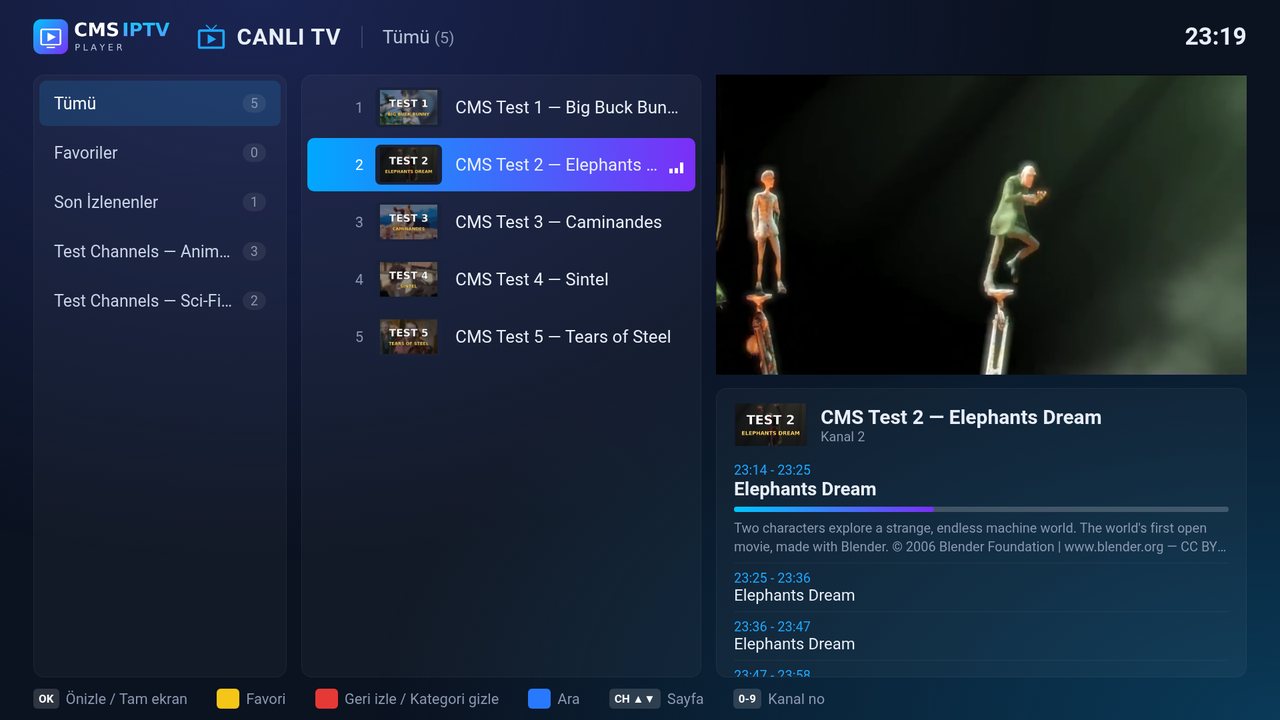
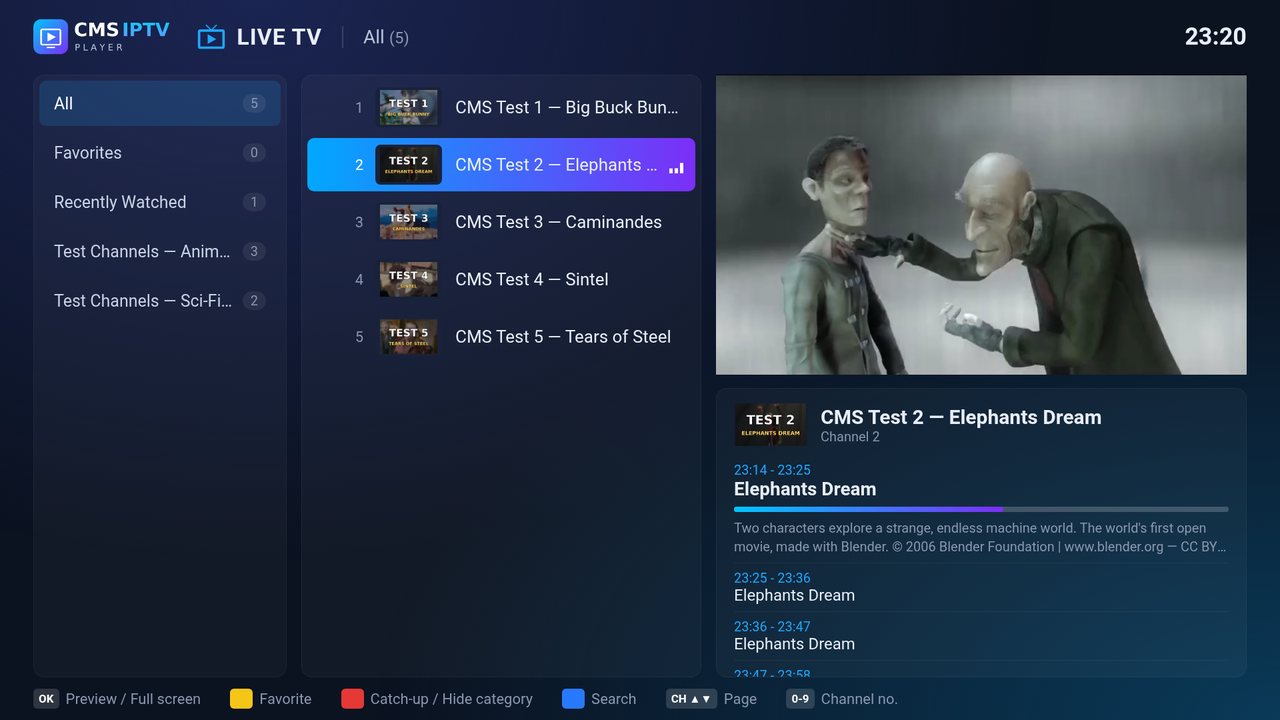
Canlı TV + Yayın AkışıLive TV + TV Guide
Kategoriler, kanal listesi, önizleme penceresi ve EPG ile şimdi/sonra bilgisi.Categories, channel list, preview window and EPG with now/next information.
FilmlerMovies
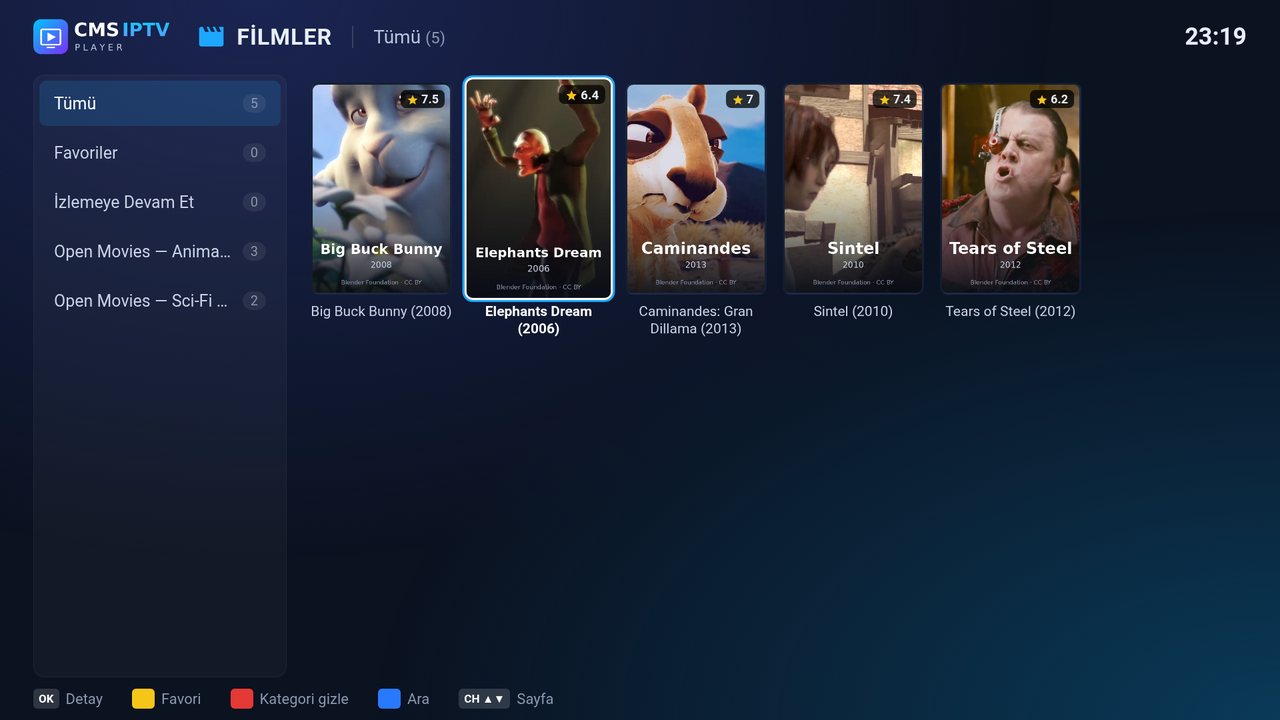
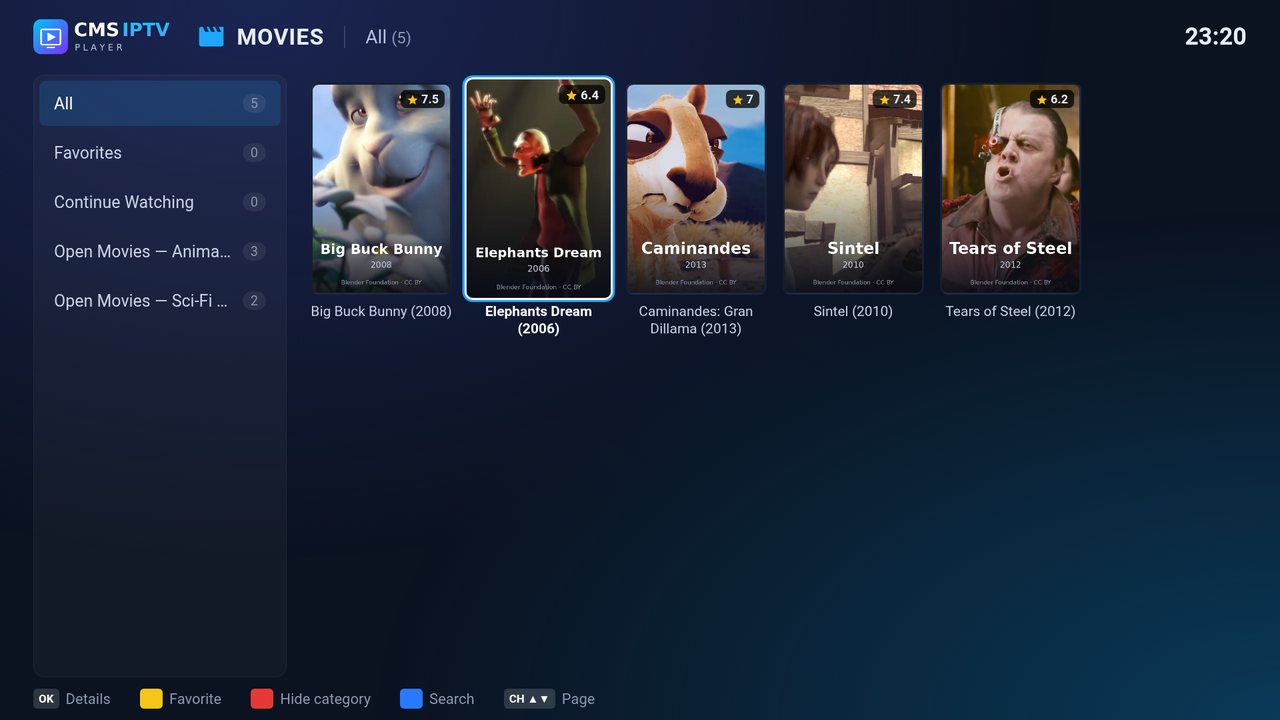
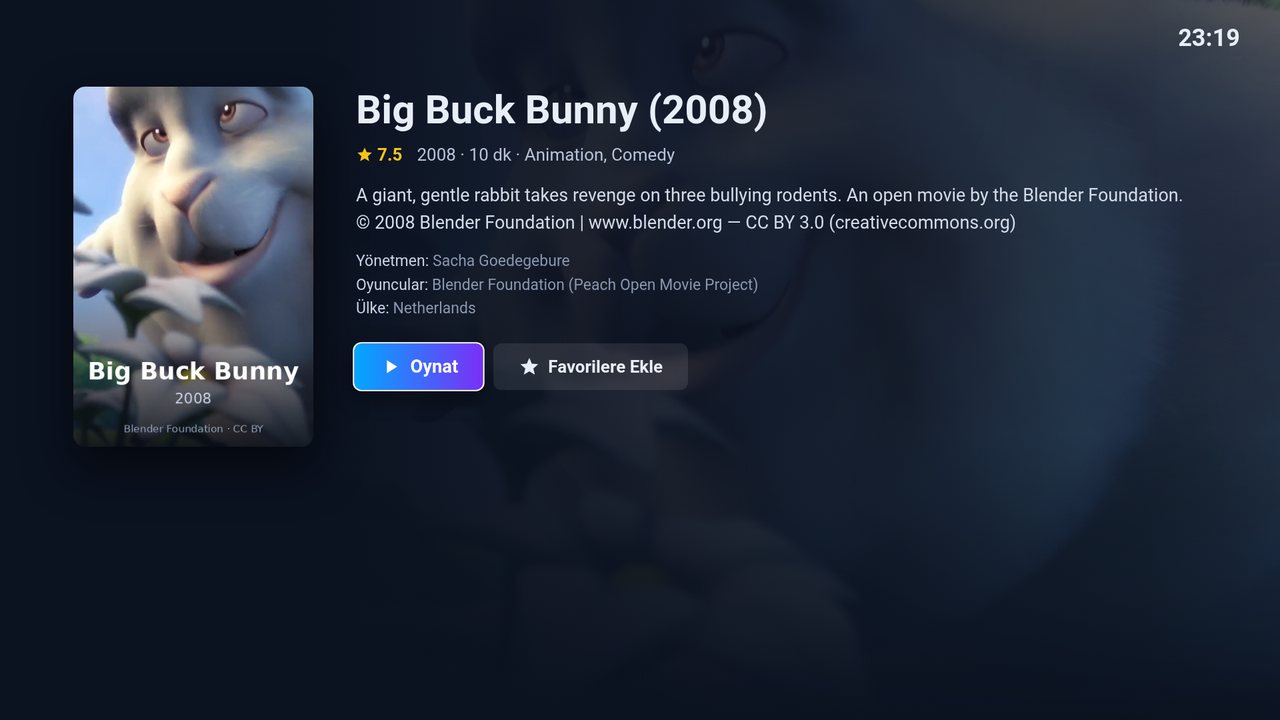
Afiş görünümü, ayrıntılı film sayfası ve kaldığınız yerden devam etme.Poster view, detailed movie pages and resume playback.
DizilerSeries
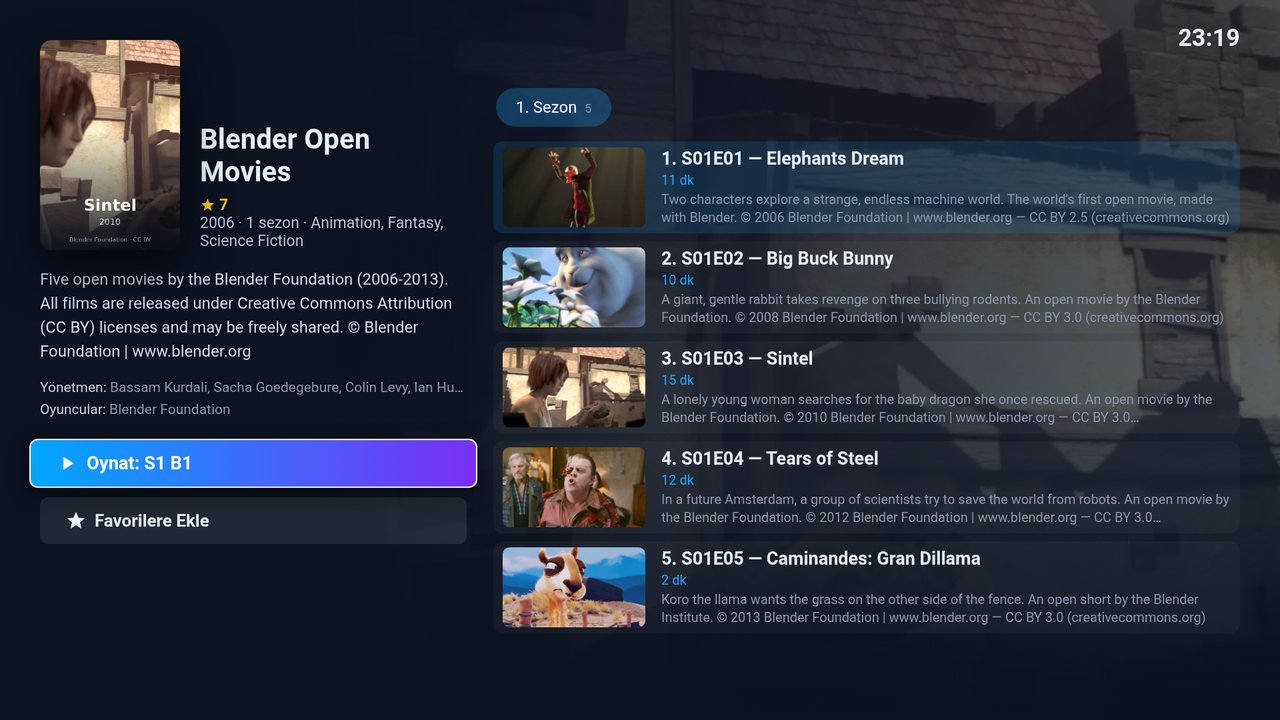
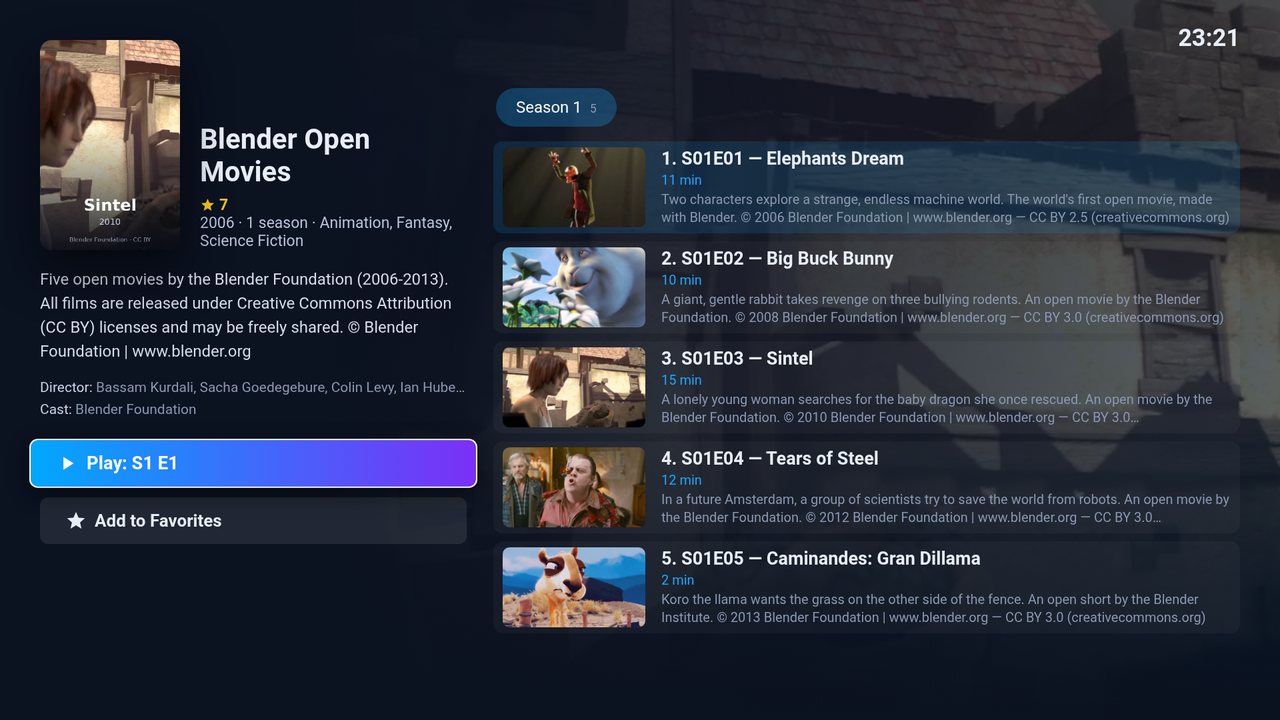
Sezon ve bölüm listeleri, izlendi işaretleri, sonraki bölümü otomatik oynatma.Season and episode lists, watched markers and auto-play next episode.
Favoriler ve GeçmişFavorites & History
Sevdiğiniz kanal ve içerikleri tek tuşla kaydedin, son izlediklerinize hızla dönün.Save channels and titles with one button and quickly return to what you watched.
Hızlı AramaFast Search
Kanal, film ve dizilerde tek ekrandan arama.Search channels, movies and series from a single screen.
Çoklu HesapMultiple Accounts
Birden fazla Xtream Codes hesabı kaydedin ve aralarında geçiş yapın.Save several Xtream Codes accounts and switch between them.
Ebeveyn Kilidi ve Kategori GizlemeParental Lock & Hidden Categories
Yetişkin kategorileri PIN ile korunur; istemediğiniz buketleri PIN ile tamamen gizleyebilirsiniz.Adult categories are PIN-protected, and you can hide unwanted bouquets completely with your PIN.
Geri İzleme (Catch-up)Catch-up TV
Sağlayıcınız arşiv sunuyorsa kaçırdığınız programları 48 saate kadar geriye giderek izleyin.If your provider offers an archive, watch programmes you missed up to 48 hours back.
Uzaktan Liste YüklemeRemote Playlist Upload
Üyelik hesabınızla web sitemizden LG TV, Samsung TV, Android, iPhone, iPad ve Windows cihazlarınıza liste ekleyin; uygulamadaki QR kodu okutmanız yeterli. Cihazlarınız panelde türüne göre gruplanır.Add playlists to your LG TV, Samsung TV, Android, iPhone, iPad and Windows devices from our website with your member account — just scan the QR code in the app. Your devices are grouped by type in your dashboard.
Akıllı ÖnbellekSmart Cache
Kanal, film, dizi ve yayın akışı cihazda saklanır; listeler anında açılır, her açılışta arka planda güncellenir.Channels, movies, series and the TV guide are cached on your device; lists open instantly and update in the background on every launch.
Kumanda, Dokunmatik, Fare ve KlavyeRemote, Touch, Mouse & Keyboard
LG Magic Remote, Samsung Smart Remote, Android TV kumandası, oyun kumandası, telefon/tablette (Android, iPhone, iPad) dokunmatik, Windows'ta fare ve klavye kısayolları; Türkçe ve İngilizce arayüz.LG Magic Remote, Samsung Smart Remote, Android TV remotes, gamepads, touch on phones and tablets (Android, iPhone, iPad), and mouse and keyboard shortcuts on Windows; English and Turkish UI.
Güçlü Yerel OynatıcıPowerful Native Player
Android'de ExoPlayer, iPhone ve iPad'de VLC, Samsung TV'de AVPlay, Windows'ta donanım hızlandırmalı Chromium oynatıcısı: HLS, MPEG-TS, MP4 ve MKV yayınları akıcı oynatılır; ses ve altyazı izi seçilebilir.ExoPlayer on Android, VLC on iPhone and iPad, AVPlay on Samsung TV, a hardware-accelerated Chromium player on Windows: HLS, MPEG-TS, MP4 and MKV streams play smoothly; audio and subtitle tracks can be selected.
Nasıl çalışır?How does it work?
Uygulamayı yükleyinInstall the app
Android TV, TV Box, telefon veya tabletinize APK'yı, Windows bilgisayarınıza kurulum dosyasını indirip kurun. LG ve Samsung TV'lerde uygulama yakında TV'nin uygulama mağazasında, iPhone ve iPad'de App Store'da.Download and install the APK on your Android TV, TV box, phone or tablet, or the installer on your Windows PC. On LG and Samsung TVs the app is coming soon to the TV's app store, and on iPhone and iPad to the App Store.
Koşulları onaylayınAccept the terms
İlk açılışta Yasal Uyarı'yı okuyup "Anladım, Kabul Ediyorum" seçeneğini seçin.On first launch, read the Legal Notice and select "I Understand and Accept".
Listenizi ekleyinAdd your playlist
Sunucu adresi, kullanıcı adı ve şifreyi uygulamaya girin ya da uygulamadaki QR kodu okutup listenizi üye hesabınızdan tüm cihazlarınıza uzaktan yükleyin.Enter the server URL, username and password in the app, or scan the QR code in the app and upload your playlist remotely to all your devices from your member account.
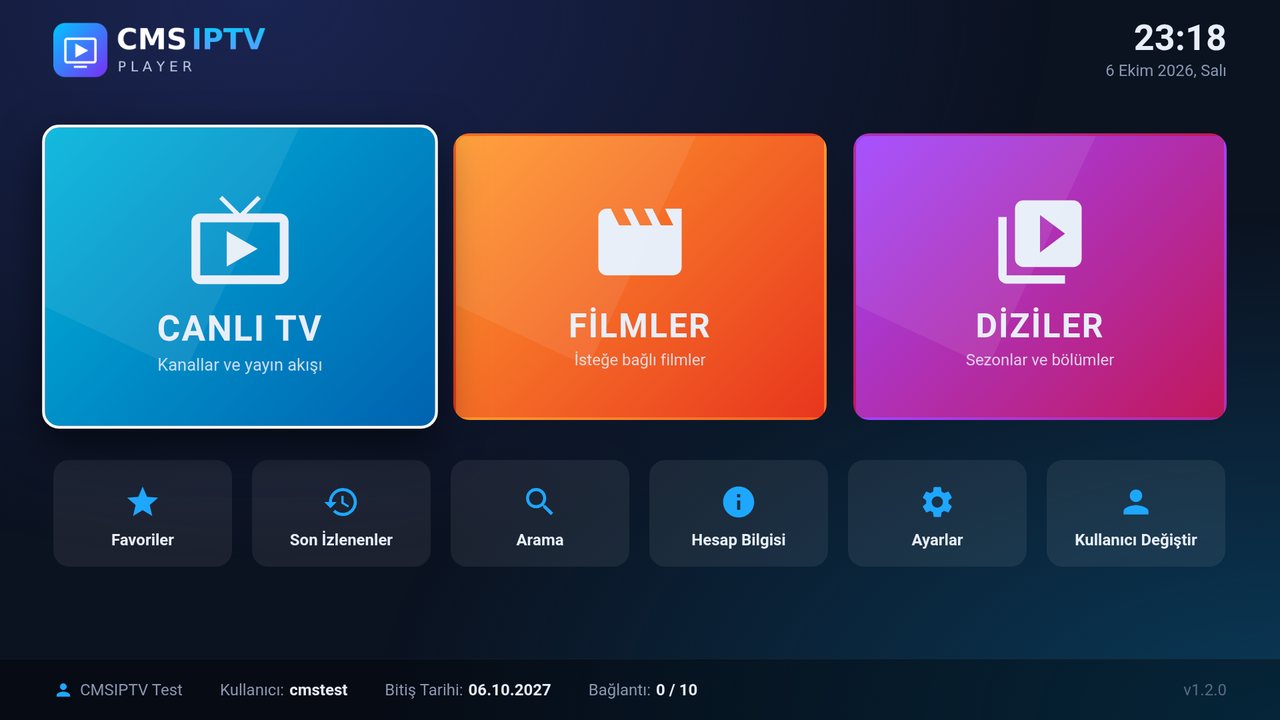
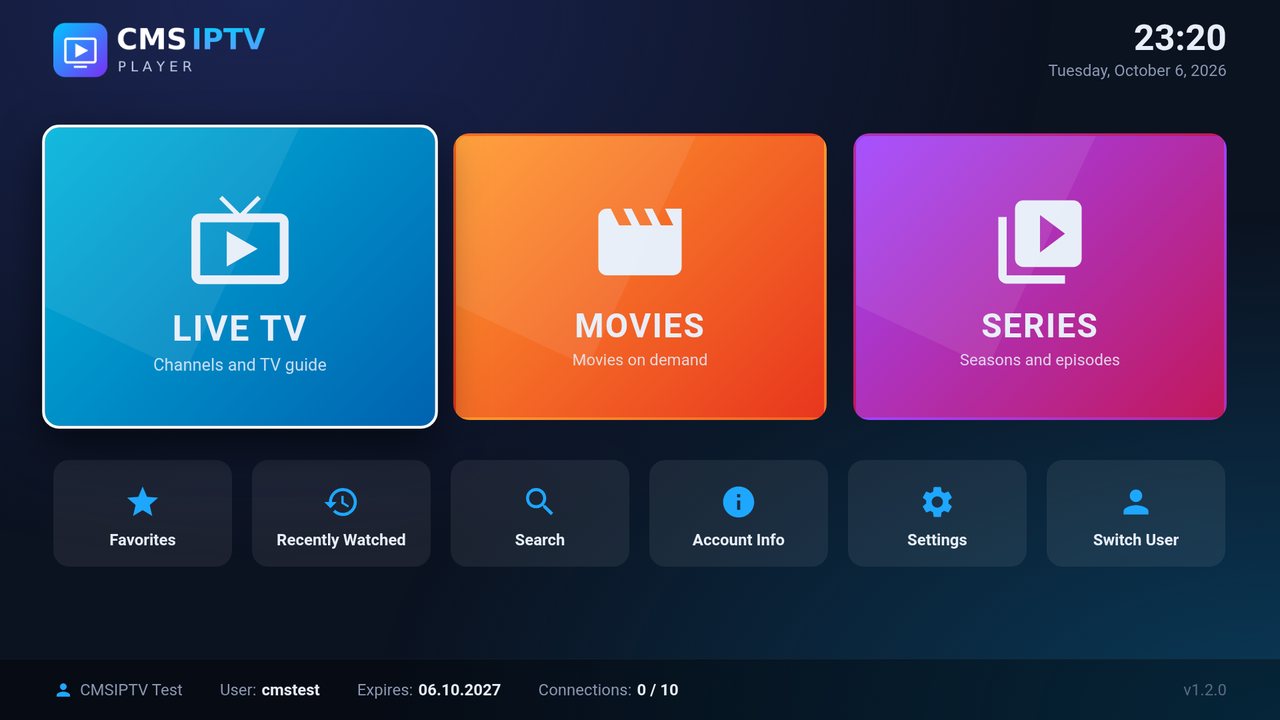
Ekran görüntüleriScreenshots
Arayüz LG TV, Samsung TV, Android, iPhone, iPad ve Windows'ta aynıdır. Görüntüler, açık lisanslı (CC BY) Blender filmlerinden oluşan test yayınımızla alınmıştır.The interface is the same on LG TV, Samsung TV, Android, iPhone, iPad and Windows. Screenshots were taken with our test service featuring openly licensed (CC BY) Blender films.



⚠Yasal UyarıLegal Notice
CMSIPTV Player yalnızca bir medya oynatıcıdır. Herhangi bir televizyon kanalı, film, dizi, canlı yayın veya oynatma listesi barındırmaz, sağlamaz, dağıtmaz ve satmaz. CMS Developer, hiçbir IPTV hizmet sağlayıcısı ile bağlantılı değildir.CMSIPTV Player is a media player only. It does not host, provide, distribute or sell any television channels, movies, series, live streams or playlists. CMS Developer is not affiliated with any IPTV service provider.
Uygulamaya eklenen içeriklerin yasallığı ve telif haklarına uygunluğu konusundaki tüm sorumluluk kullanıcıya aittir. Telif hakkıyla korunan içeriklerin izinsiz izlenmesini desteklemiyoruz.Users bear full responsibility for the legality and copyright compliance of the content they add. We do not support the unauthorized viewing of copyrighted content.
Yasal metnin tamamıRead the full legal notice →Sık sorulan sorularFrequently asked questions
Hangi cihazlarda çalışır?Which devices are supported?
Android 5.0 ve üzeri Android TV, Google TV, TV Box, telefon ve tabletlerde (APK ile), LG Content Store'a erişimi olan webOS işletim sistemli LG Smart TV'lerde Tizen işletim sistemli Samsung Smart TV'lerde ve Windows 10 / 11 (64 bit) bilgisayarlarda çalışır; iOS 14 ve üzeri iPhone ve iPad sürümü yakında App Store'da. Tüm cihazlarınızı tek üyelikle yönetebilirsiniz.It runs on Android TV, Google TV, TV boxes, phones and tablets with Android 5.0 or later (via APK), on LG Smart TVs with webOS that have access to LG Content Store on Samsung Smart TVs with Tizen and on Windows 10 / 11 (64-bit) PCs; the iPhone and iPad version (iOS 14 or later) is coming soon to the App Store. You can manage all your devices with one membership.
Uygulama kanal veya film içeriyor mu?Does the app include channels or movies?
Hayır. CMSIPTV Player bir oynatıcıdır ve hiçbir içerik içermez. İçerik, kendi seçtiğiniz hizmet sağlayıcının hesabından gelir.No. CMSIPTV Player is a player and contains no content. Content comes from the account of a service provider you choose.
IPTV aboneliği satıyor musunuz?Do you sell IPTV subscriptions?
Hayır. CMS Developer abonelik, hesap veya oynatma listesi satmaz ve herhangi bir sağlayıcıyı önermez.No. CMS Developer does not sell subscriptions, accounts or playlists and does not recommend any provider.
Uygulama ücretli mi?Is the app paid?
Hayır, CMSIPTV Player LG TV'de, Samsung TV'de, Android'de, iPhone ve iPad'de ve Windows'ta ücretsizdir; uygulama içi satın alma veya reklam yoktur.No, CMSIPTV Player is free on LG TV, Samsung TV, Android, iPhone, iPad and Windows, with no in-app purchases or advertising.
Android uygulaması Google Play'de mi?Is the Android app on Google Play?
Android uygulaması şimdilik yalnızca bu siteden APK olarak ücretsiz dağıtılmaktadır. Başka sitelerden indirilen kopyaları kullanmayın; dosyanın doğruluğunu SHA-256 değeriyle kontrol edebilirsiniz.For now, the Android app is distributed free of charge only as an APK from this website. Do not use copies from other sites; you can verify the file with the SHA-256 checksum.